Road Food, and a Day of Polish
One new feature and a long list of small things. The new feature is for the days you are eating off an interstate exit. The small things are the kind you only notice by living with an app: a question asked every time you open it, a screen that ignored your phone going dark, a percentage that came out one tenth different on one app out of six.
Road Food
LIFT already knows how many calories and how much protein you have left today. Road Food answers the question you actually have in a drive-thru line: what can I get here that fits?
Open Food, tap Road Food, and pick where you are stopping — one of the chains, or Gas station for the snacks by the register.
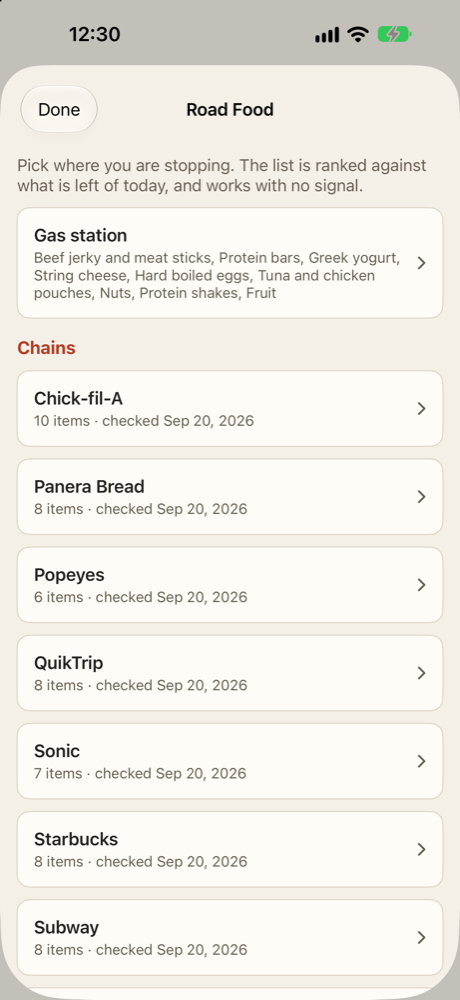
Each chain’s list is ranked against what you have left: the items that fit, with the most protein per calorie first and lower sodium breaking a tie. Anything more than 10% over what is left is left off the list, and the few that are only a little over get a short list of their own, because at 9 pm “a little over” is often the honest choice. One tap logs it as breakfast, lunch, dinner or a snack.
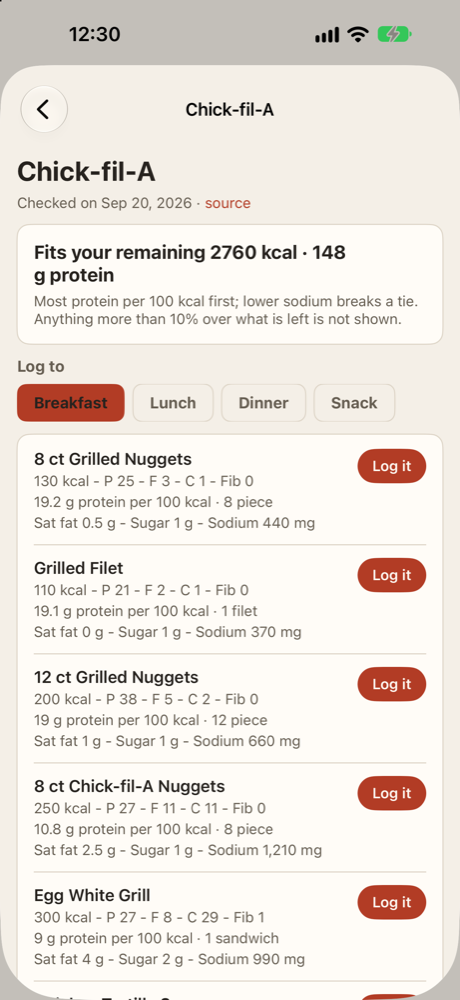
What it covers today: Wendy’s, Sonic, Chick-fil-A, Popeyes, Subway, Starbucks, Panera and QuikTrip, plus gas station staples — jerky and meat sticks, protein bars, Greek yogurt, string cheese, hard-boiled eggs, tuna and chicken pouches, nuts and protein shakes — and a short list of ordering rules that stay true when a menu changes: grilled over fried, sauces on the side, double the protein instead of a bigger bun.
A few rules it holds to:
- The numbers are each chain’s own published nutrition, entered by hand, with the date they were checked on screen. A chain whose numbers are more than six months old says so in words.
- It works with no signal. The whole list ships inside the app, because the interstate is exactly where signal drops.
- It never asks where you are. You pick the chain; LIFT does not watch where you drive. No new permission, and nothing leaves your phone.
- Sodium is shown, not scored. Road food is salty and the number is worth seeing, but it only breaks ties — the same “tracked and shown, never targeted” rule saturated fat and sugar follow everywhere else in LIFT.
Numbers go stale when menus change, so every quarter a script checks each chain’s published nutrition against what the app carries and reports anything that moved. It never edits the list on its own. A person reads the report and updates it, because a wrong number in your day is worse than an old one you can see is old.
The same words in every app
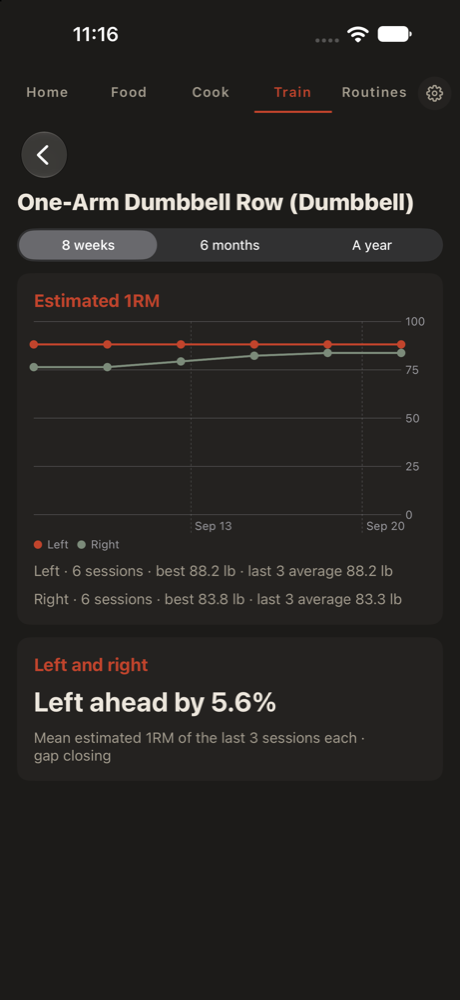
When the last update added left-and-right logging, LIFT said “7% — right stronger” while Coach said “Right ahead by 7%”. Same number, worked out the same way, described two different ways — which is exactly the kind of thing that makes a lifter and their coach wonder whether they are looking at the same thing.
Now all six apps use one sentence: “Right ahead by 5%”, or “Sides level”, and underneath, what it was measured over and which way it is going.
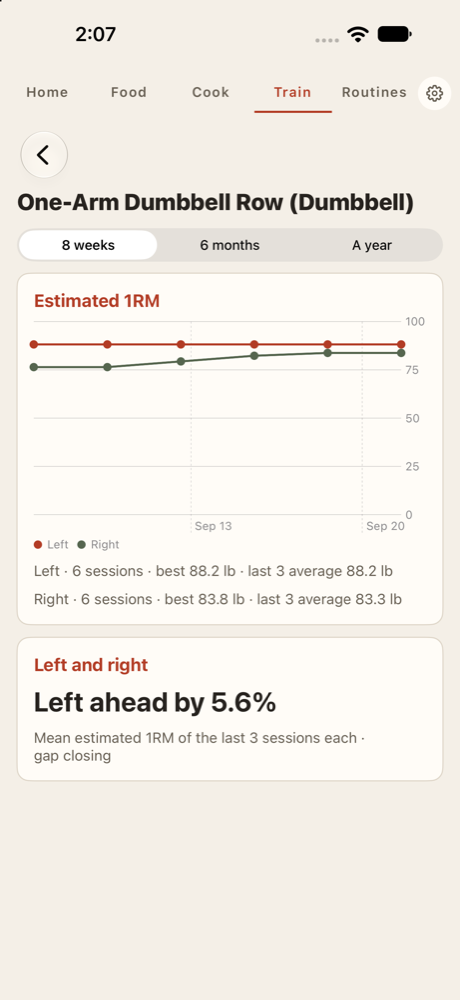
Getting there turned up one real disagreement. On a figure that landed exactly on a half — 150 against 160 is 6.25% — Coach for Android printed 6.2% and every other app printed 6.3%, because two programming languages round a half in different directions. It prints 6.3% now. And on Android, a lift without enough sessions yet no longer tells you the per-side counts twice.
Small fixes
LIFT on iPhone stopped asking for Apple Health every time it opened. It asks once. After that, the Apple Health row in Settings tells you where to change your answer, and nothing else asks again. Saving a run to Health no longer ends in a “Couldn’t save” alert when you have said no.
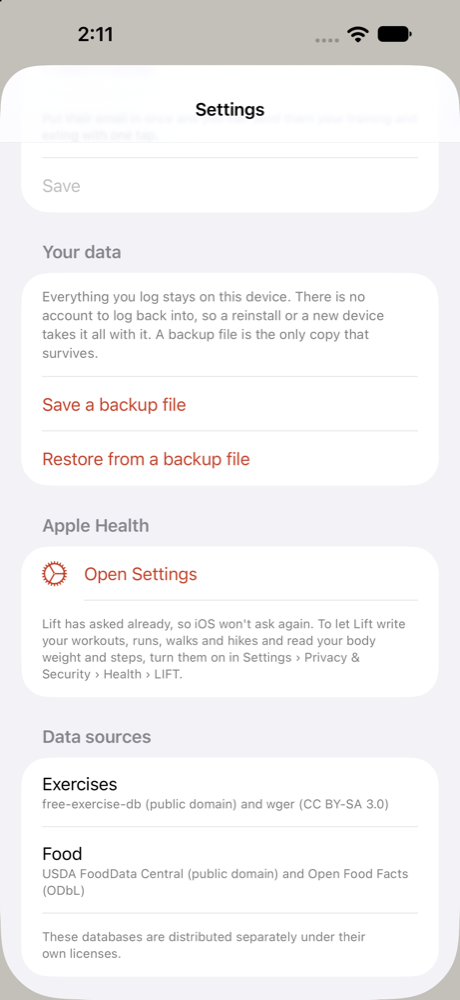
An iPad no longer calls itself an iPhone. “Everything you log stays on this iPhone” is now “this device”, along with the restore messages and the email error.
Train finally matches the other tabs. It was the one screen drawn on plain system white — or black — instead of LIFT’s own cream and charcoal. You could see the seam on an iPad, where the sidebar sits right beside it.
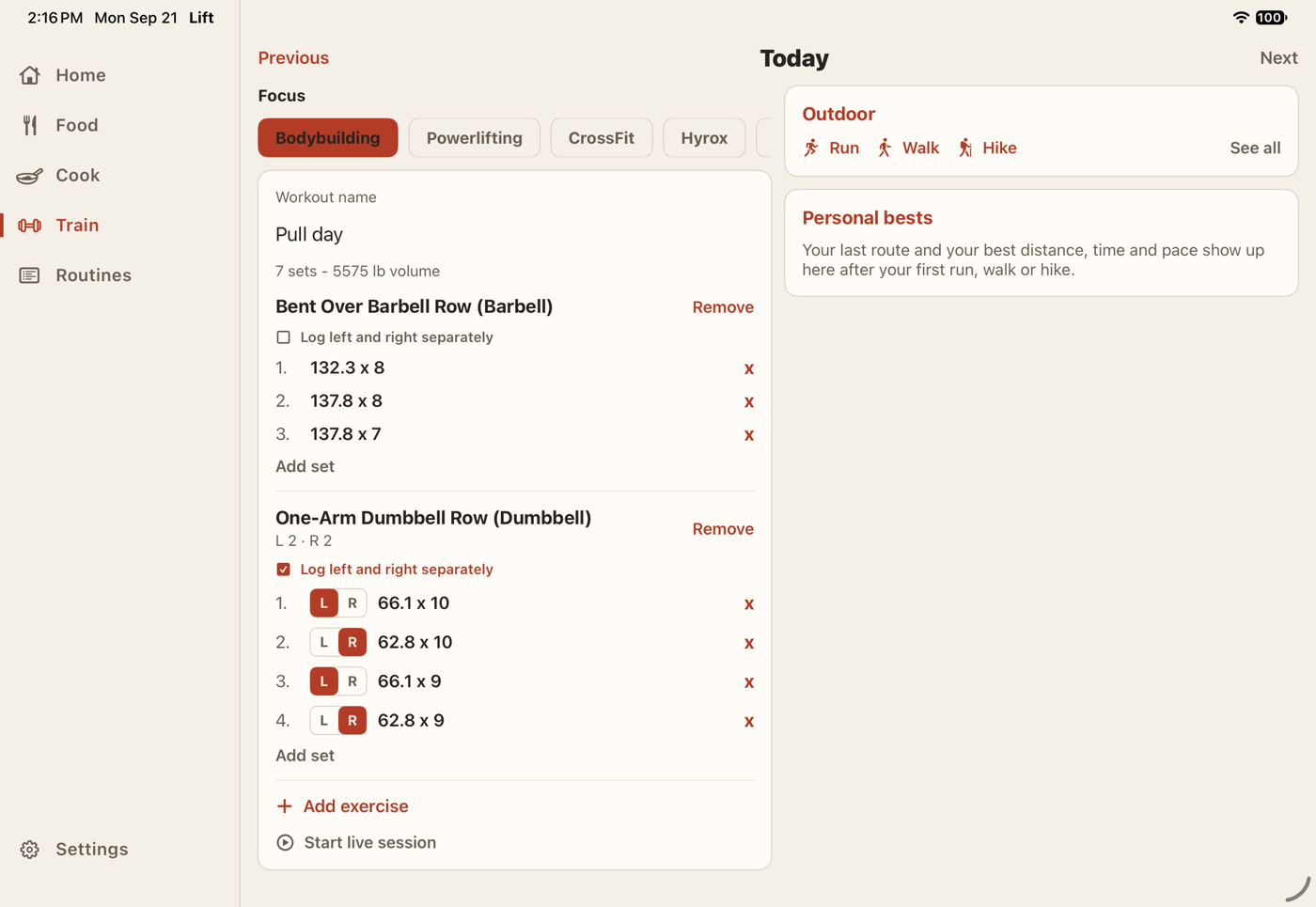
Screens opened from Train now follow light and dark. Switch your iPhone to dark with a lift’s progression open — or open one afterwards — and it used to stay light until you quit LIFT. It follows the switch now, chart and all.
Where to get it
- The browser version of LIFT is live now at LIFT, Road Food included, with the new wording.
- LIFT for Android 1.11 and Coach for Android 1.7 are on the install page. Road Food arrived in LIFT 1.10 earlier today; 1.11 brings the new wording. The Android counts fix is in the next release.
- iPhone and iPad builds carry everything above; they are not on the App Store yet.